SecuX V20 Review 2026: Is the Big Screen Wallet Worth It?
You know, I have a love-hate relationship with hardware wallets.
I love the security, but I hate the screens. Have you ever tried to read a 40-character crypto address on a Ledger Nano S? It’s like trying to read a receipt through a keyhole. I find myself squinting, double-checking, and sweating because I’m terrified I’ll misread a “B” for an “8” and lose my money.
That is exactly why SecuX exists.
They looked at the market and said, “Why does keeping money safe have to be so… tiny?”
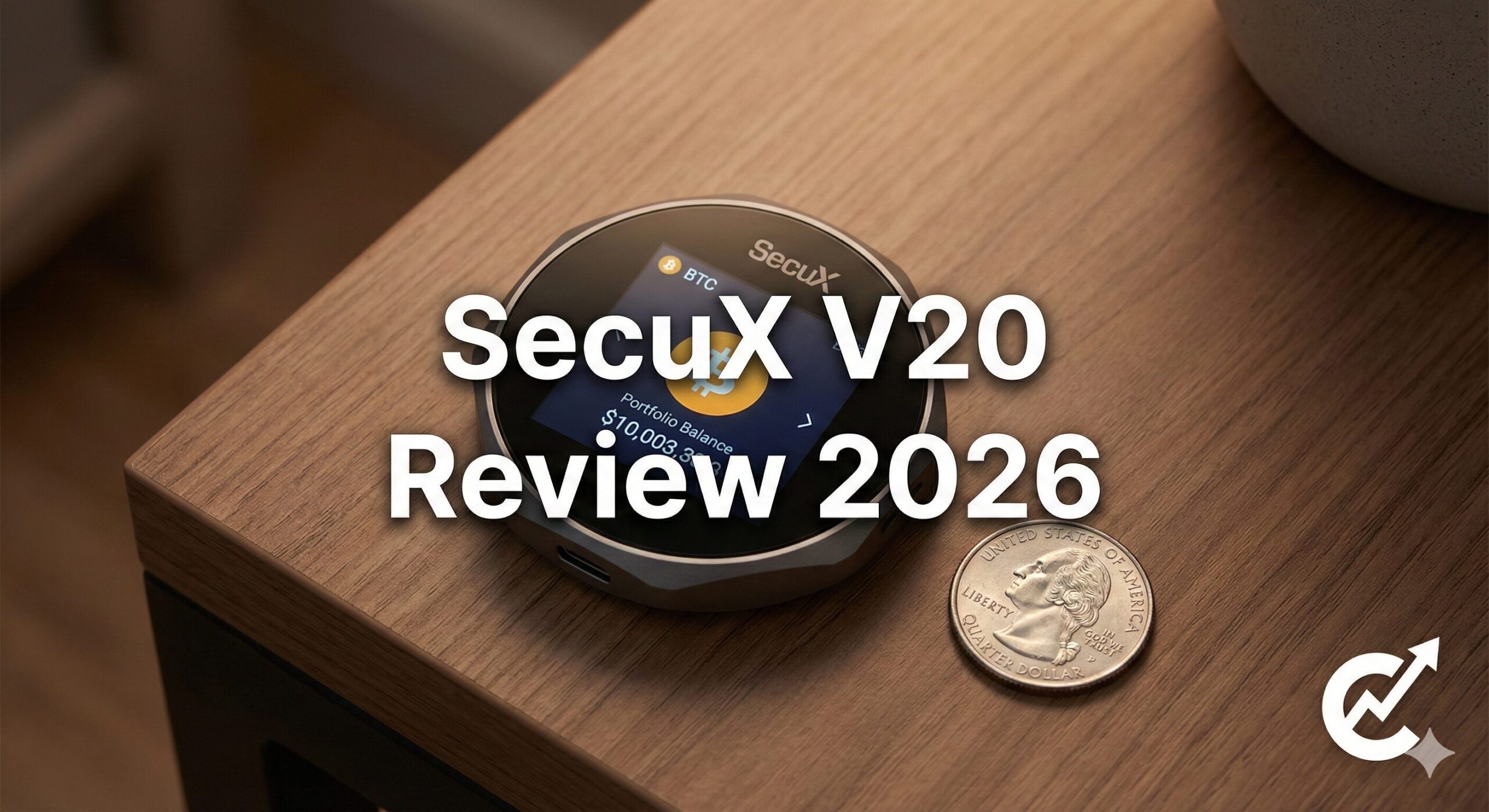
Enter the SecuX V20. It looks less like a USB stick and more like a hockey puck from the future. It has a massive 2.8-inch color touchscreen. It promises to fix the biggest pain point of cold storage: Usability.
But is it actually safe? Or is it just a flashy gadget with weak security?
I picked one up to test it against my trusty Ledger. I’ve dragged this thing around in my bag for weeks. If you are tired of tiny buttons and want a wallet you can actually see, grab a coffee. We need to talk about whether the “World’s Best Cross-Platform Wallet” lives up to the hype.
Key Takeaways
- The Big Selling Point: The SecuX V20 has a massive 2.8-inch color touchscreen. It is infinitely easier to use than a Ledger or Trezor.
- The Security: It uses an Infineon SLE 97 Secure Element chip (EAL5+). This is military-grade tech, similar to what Ledger uses.
- The Lineup: The V20 is the premium metal version. The W20 is the plastic version. The W10 is the budget USB-only version.
- Connectivity: It works flawlessly with iPhone, Android, and Desktop via Bluetooth and USB-C.
- The Flaw: The device is bulky. It’s not something you can subtly hide in your jeans pocket like a Trezor.
- The Verdict: If you have bad eyesight or “fat fingers,” this is the best wallet on the market. If you want portability, stick to a Ledger Nano X.
1. The Design: Finally, a Screen You Can Read
When you open the box, the first thing you notice is the shape. It’s weird. It’s a polygon-shaped disc with a brushed aluminum rim (on the V20).
The Screen:
This is why you buy this wallet. The 2.8-inch color touchscreen is massive by crypto standards.
- Visibility: You can see your entire portfolio on one screen. No scrolling.
- Address Checking: When you send Bitcoin, the address is displayed in large, clear font. You don’t have to scroll sideways to check the characters. This gives me huge peace of mind.
The Build:
The SecuX V20 feels premium. It has a rubberized bottom so it doesn’t slide around your desk. It feels like a piece of office equipment, not a cheap toy. However, it is thick. It’s about the size of a hockey puck. You aren’t putting this on your keychain.
2. The Models: V20 vs. W20 vs. W10
SecuX has a few different flavors. In this SecuX V20 review, we focus on the flagship, but you should know your options.
SecuX V20 ($139): The Flagship
- Build: Aluminum case.
- Connection: Bluetooth + USB.
- Best For: Daily users who want durability and style.
SecuX W20 ($119): The Plastic Sibling
- Build: Plastic case.
- Connection: Bluetooth + USB.
- Best For: People who want the same features as the V20 but want to save $20. Honestly? Just spend the extra $20 for the metal V20. It feels much better.
SecuX W10 ($69): The Budget Pick
- Build: Plastic case.
- Connection: USB Only (No Bluetooth).
- Best For: Desktop users who never trade on their phone.
Buy any model at 10% discount, available for coinexpansion users
3. Security: Is It Safe?
This is the big question. SecuX is a newer brand compared to Ledger. Can we trust them?
The Chip (Infineon SLE 97):
SecuX doesn’t mess around here. They use a “Secure Element” chip made by Infineon. It is EAL5+ certified.
- This is the same grade of security used in banking systems and passports.
- Your private keys are generated inside this chip and never leave it.
- Even if you connect via Bluetooth, the keys don’t travel over the airwaves.
The “Hidden Wallet” Feature:
Like Trezor, the SecuX V20 supports a “25th Word” passphrase. You can create a hidden wallet behind a secret password. If someone forces you to unlock your device, you give them the PIN for the main wallet (with $10 in it), while your real savings stay hidden.
Dynamic Keypad:
When you enter your PIN, the numbers on the screen shuffle positions. This prevents “smudge attacks” where a thief guesses your PIN by looking at the fingerprints on the screen. It’s a clever touch.
4. User Experience: The “Cross-Platform” Promise
SecuX markets itself as “Cross-Platform.” Does it actually work?
On Mobile (iOS/Android):
I tested this with my iPhone 16. The Bluetooth connection was instant. The SecuX Mobile app is clean. It’s not as feature-rich as Ledger Live (you can’t buy crypto directly as easily), but for sending and receiving, it’s flawless.
- Bonus: Because the screen is so big, you can use QR codes. You can show a QR code on the SecuX screen and scan it with your friend’s phone to get paid.
On Desktop:
Here is a slight annoyance. SecuX uses a web-based interface (SecuXess). You don’t download an app; you go to a website using Chrome.
- The Good: You can access your wallet from any computer without installing software.
- The Bad: It feels a bit less robust than a dedicated desktop app like Ledger Live.
5. Coin Support: The Gap is Closing
In the early days, SecuX only supported a few coins. In 2026, they have caught up.
Native Support:
- Bitcoin (BTC)
- Ethereum (ETH)
- Ripple (XRP)
- Cardano (ADA)
- Solana (SOL)
- Dogecoin (DOGE)
- All ERC-20 (Ethereum) and BEP-20 (Binance) tokens.
NFT Support:
Yes, the SecuX V20 supports NFTs. In fact, because the screen is color, you can actually see a preview of your NFT art on the device itself (for supported collections). This is a feature Ledger Stax has, but SecuX did it first at a much lower price.
6. Setup Guide: No More Tiny Buttons
Setting up a SecuX V20 is where the touchscreen really shines. It took me about 8 minutes.
Step 1: Power On
Hold the power button. The screen lights up with the SecuX logo.
Step 2: Create PIN
Tap the numbers on the screen. No scrolling through digits with buttons. It’s fast.
Step 3: The Seed Phrase
It gives you the standard 24 words.
- Crucial: You write them down on the recovery sheets provided.
- Verification: This is usually the annoying part on other wallets. On SecuX, it presents you with 4 options on the screen, and you just tap the right word. It makes verifying your backup painless.
Step 4: Connect
Open the SecuX app on your phone, turn on Bluetooth, and tap “Pair.” Done.
7. Comparison Table: SecuX vs. The Big Guys
How does the SecuX V20 stack up against the market leader, the Ledger Nano X?
| Feature | SecuX V20 | Ledger Nano X | Trezor Safe 3 |
| Price | ~$139 | ~$149 | ~$79 |
| Screen | 2.8″ Color Touch | Tiny OLED | Small OLED |
| Connectivity | Bluetooth + USB | Bluetooth + USB | USB Only |
| Material | Aluminum + Rubber | Steel + Plastic | Plastic |
| Battery Life | ~7 Hours (Active) | ~8 Hours (Active) | No Battery |
| Mobile App | Good | Excellent | No (Android only) |
| Best For | Usability / Vision | Portability | Budget Security |
8. Pros and Cons: The Honest Truth
Pros:
- The Screen: I cannot stress this enough. If you have bad eyesight, this device is a godsend.
- Security: EAL5+ chip matches the industry standard.
- Dual Connectivity: Works great on both phone and laptop.
- QR Codes: Being able to display a QR code on the device is super convenient for receiving funds.
Cons:
- Size: It’s bulky. You can’t put it in a slim jeans pocket comfortably.
- Web App: I wish they had a standalone desktop app instead of a web interface.
- Proprietary Cable: It uses USB-C, which is great, but the shape of the port is a bit deep. Some thick third-party cables might not fit perfectly.
The Verdict: Who Should Buy the SecuX V20?
After using it for a month, I have come to a clear conclusion for this SecuX V20 review.
Buy the SecuX V20 if:
- You struggle to read small text.
- You have “fat fingers” and hate tiny physical buttons.
- You manage a lot of different coins and want to scan QR codes.
- You want a device that looks and feels like premium tech, not a USB stick.
Skip it if:
- You want something ultra-portable to carry every day (get a Ledger Nano X).
- You want open-source software (get a Trezor).
For me, the SecuX V20 has earned a spot on my desk. It’s my “Home Base” wallet. It sits there, looking cool, ready for when I need to make a transaction without squinting.
Buy at 10% discount only available for coinexpansion users
Frequently Asked Questions (FAQ)
Q: Is SecuX better than Ledger?
A: For usability? Yes. The screen blows Ledger away. For ecosystem? No. Ledger Live is still a better app. It depends on what you value more: ease of use or software features.
Q: Does the V20 have a battery?
A: Yes. It has a 600mAh battery. It lasts a long time on standby, but the big screen drains it faster than a Ledger if you leave it on.
Q: Can I use it with MetaMask?
A: Yes! You can connect your SecuX V20 to MetaMask via the QR code scanning feature (WalletConnect). It’s actually safer because you are verifying the transaction on the big screen.
Q: Is the W20 just as safe as the V20?
A: Yes. The internals (chip, firmware) are identical. You are paying the extra $20 for the metal shell on the V20, which I think is worth it for durability.
Q: Can I hold Bitcoin and Ethereum at the same time?
A: Absolutely. It is a multi-chain wallet. You can hold BTC, ETH, DOGE, and 1,000 other tokens all in the same account.