MetaMask Wallet Review 2026: Is It Safe, Fees, Features & Hidden Risks
You know that little orange fox that follows your mouse cursor around the screen? If you have been in crypto for more than five minutes, you know exactly who I am talking about.
I remember the first time I installed MetaMask years ago.
I spent way too much time just moving my mouse back and forth. I was watching the fox’s head turn. It was cute. But then I tried to make my first transaction.
The cuteness wore off fast. I was sweating bullets. I was terrified I was going to click the wrong button and send my money into the void.
That fear is real. And honestly, it hasn’t gone away for a lot of people. But here we are in 2026. That little fox is still the king of the jungle. Or is it?
With so many new wallets popping up, I decided to take a fresh look. I spent the last week using only MetaMask for everything. I did trading, buying NFTs, and even spending crypto.
I wanted to write this honest MetaMask wallet review 2026. I wanted to see if the old dog, or fox, has learned some new tricks.
In this MetaMask wallet review, we will break down its features, fees, and security so you can decide if it’s the right wallet for you.
Key Takeaways
- Native Bitcoin Support: You can finally hold BTC directly in MetaMask alongside your Ethereum.
- High Swap Fees: Convenience comes at a cost; in-app swaps charge a hefty 0.875% fee.
- Security is on You: It is a hot wallet, so your safety depends entirely on how well you guard your seed phrase.
- Snaps Customization: You can add plugins to support other chains, such as Solana, or to add extra security alerts.
- Universal Access: It remains the most widely supported wallet for connecting to almost any crypto website.
Check out the best 7 Solana wallets 2026.
FOR Ethereum, MetaMask is one of the best crypto wallets in the industry
What Actually is MetaMask?
Here is a quick overview from this MetaMask wallet review.
If you’re reading this MetaMask wallet review, it’s important to understand how the wallet works.
Let’s strip away the tech talk. Imagine MetaMask is a digital wallet that lives in your web browser. It is like having a leather wallet in your back pocket. But instead of cash and credit cards, it holds Ethereum and other digital coins.
For years, it was just a tool to connect to websites. You would go to a site like Uniswap or OpenSea. You would click “Connect.” And boom, you were logged in. It was the passport to the decentralized internet.
But by 2026, it had become much more than just a connector. It’s trying to be a “super app.” It wants you to do everything without ever leaving the wallet.
If you are reading this MetaMask wallet review, you are probably wondering if it’s beginner-friendly. The answer is mostly yes. It’s not as simple as a banking app.
But it is the standard. Learning to use MetaMask is like learning to drive a car. It’s scary at first. But once you get it, you can drive almost anywhere.
The Big 2026 Update: Bitcoin is Finally Here!
Okay, I have to start with the biggest news. For years, MetaMask had one huge flaw. It only worked with Ethereum and “Ethereum-like” chains.
If you wanted to hold Bitcoin, you had to get a completely different wallet. It was annoying. I hated juggling two different apps just to check my portfolio. But recently, they finally fixed it. MetaMask now supports native Bitcoin.
This is a game-changer. You can now hold your orange Bitcoin right next to your Ethereum in the same dashboard. You don’t need “Wrapped Bitcoin.” You get the real deal.
During the testing for this MetaMask wallet review, I sent some BTC from a crypto exchange to my MetaMask. It arrived smoothly.
Seeing it sit there next to my ETH felt weirdly satisfying. It feels like the walls between different blockchains are finally crumbling.
One of the biggest highlights in this MetaMask wallet review is the addition of native Bitcoin support.
Setting It Up: The Scary Part
Let’s grab a coffee and talk about the setup process. This is where people mess up. When you install MetaMask, it will give you a “Secret Recovery Phrase.” This is a list of 12 random words.
I cannot stress this enough. This list is your money.
There is no “Forgot Password” button here. If you lose these words, your money is gone forever. If you give these words to a scammer, your money is stolen instantly.
When I set up a fresh wallet for this review, I wrote the words down on a piece of paper. I locked it in my drawer. Do not take a screenshot
Do not save it in a Google Doc. Hackers love finding those files. The setup itself is fast. It takes maybe two minutes. But the responsibility lasts forever.
Understanding the difference between a CEX and a DEX is the first step toward taking control of your crypto journey.
How MetaMask Wallet Works
If you’re new, you might be wondering how MetaMask actually works. In simple terms, it connects your wallet to decentralized apps (dApps), allowing you to send, receive, and sign transactions securely. This makes it one of the most widely used tools in Web3.
Metamask supported Coins
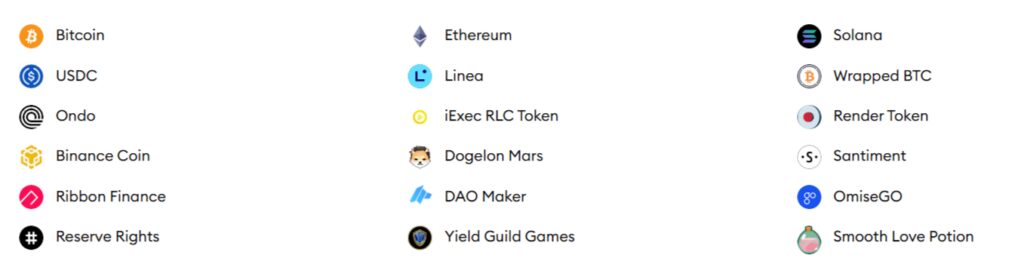
As of April 2026, Metamask can hold millions of different coins across many different networks. It works mostly with the Ethereum family, but it has recently started working with Solana and Bitcoin.
Which Networks Can You Use?
MetaMask works with almost any coin on these major systems. Sometimes, you might need to “Import” a coin’s address manually to see it in your list:
- Ethereum: This is the main home for MetaMask. It holds ETH and all coins built on top of it (like NFTs).
- Fast & Cheap Networks (Layer 2s): This includes Polygon (POL), Arbitrum, Optimism, Base, and Linea.
- Other Popular Systems: You can use it for BNB Chain, Avalanche (AVAX), Fantom, and Cronos.
- Special Connections:
- Solana: You can now keep SOL and other Solana-based coins here.
- Bitcoin: You can manage BTC through special new features.
- Others: Using a feature called “Snaps,” you can even add support for coins like XRP.
Popular Coins in MetaMask
While you can hold almost anything, these are the most common ones:
- Main Coins: ETH, SOL, POL (Polygon), BNB, and AVAX.
- Stablecoins (Digital Dollars): USDT, USDC, and DAI.
- Famous Altcoins: LINK, UNI, SHIB, PEPE, and AAVE.
Check out Crypto Coins List: Types of Cryptocurrencies (2026 Edition)
How to See Your Coins
MetaMask tries to keep your screen clean, so it doesn’t show every single coin automatically.
- Auto-Find: You can turn on a setting (Settings > Security & Privacy) that helps MetaMask find popular coins for you.
- Adding Manually: For newer or rarer coins, you just click “Import Tokens” and paste the coin’s “Contract Address.” You can find these addresses on trusted sites like CoinGecko.
- MetaMask Card: If you have the official card, you can spend coins like USDC and USDT just like a regular debit card.
One Quick Note: MetaMask does not work directly with coins like Cardano (ADA) or Litecoin (LTC) unless you use a special bridge or a “wrapped” version of those coins.
Features: More Than Just Storing Coins
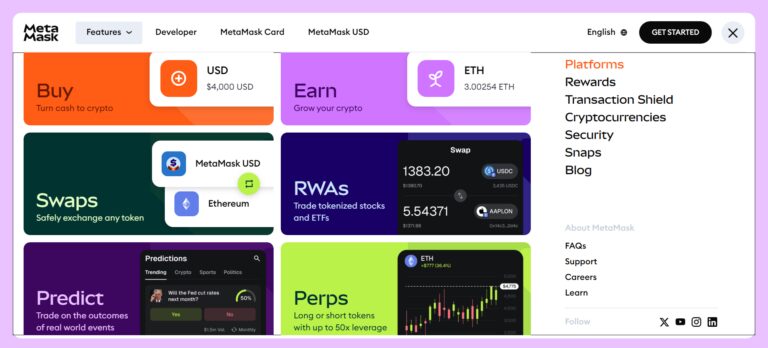
So, once you are in, what can you actually do?
1. Swapping Tokens
You can trade one coin for another directly inside the app. For example, I swapped some Ethereum for a stablecoin like USDC. It was super easy. I didn’t have to go to an exchange.
2. The MetaMask Card
The MetaMask Card is a debit card, developed with Mastercard and Baanx, that allows users to spend cryptocurrency directly from their self-custody wallet at any merchant accepting Mastercard.
It eliminates the need for manual offramping to exchanges by instantly converting crypto to fiat at the time of purchase. The card supports networks like Linea, Base, and Solana.
There are two types of card offers by Metamask
- Virtual Card: (Free) Available immediately for online shopping and adding to mobile wallets, offering 1% extra cashback on travel bookings.
- MetaMask Metal Card: ($199/year) A physical card available through a premium $199 annual subscription that provides higher benefits, such as 3% extra cashback on travel (total of 7% with travel perks)
3. Snaps (The Secret Weapon)
This is my favorite part. “Snaps” are like little plugins you can add to your wallet. Imagine adding an extension to your browser, but it’s for your wallet.
You can add a Snap that warns you if a transaction looks like a scam. You can add a Snap to support other blockchains like Solana. It makes the wallet customizable. If you are a power user, you will love this. If you are a beginner, you can mostly ignore it, and that’s fine too.
4. MetaMask USD
MetaMask USD (mUSD) is a stablecoin launched by MetaMask, pegged 1:1 to the U.S. dollar.
It offers 1:1 backing with U.S. Treasury bills. It is designed to be held directly within MetaMask for seamless swapping, DeFi participation, and spending via the MetaMask Card on Ethereum and Linea
5. MetaMask Predict
MetaMask recently integrated with Polymarket to allow users to trade on the outcomes of real-world events directly within the mobile app.
- Categories: You can “predict” or trade on sports (e.g., NFL, NBA), politics, crypto prices, and pop culture.
- Rewards: Every trade made through the app earns MetaMask Rewards points, which may influence eligibility for a future token airdrop.
- Availability: This feature is currently restricted in several regions, including the USA, UK, France, and Germany
6. Metamask Perps
MetaMask now offers native perpetual futures trading (perps) directly within its mobile app, powered by an integration with the Hyperliquid decentralized exchange.
This feature allows you to trade with up to 40x leverage on over 150 assets, including major cryptocurrencies and synthetic traditional assets like Apple or NVIDIA stocks.
Check out 12 Best High Leverage Crypto Trading Platforms 2026 (Up to 500x)
MetaMask Fees Explained
In this MetaMask wallet review, let us go through the fees charged by MetaMask
MetaMask charges a 0.875% service fee on swaps. In addition, users also pay network gas fees, which depend on blockchain congestion. This makes MetaMask slightly more expensive than other wallets.
However, I have to be real with you. It’s expensive. MetaMask charges a “service fee” of 0.875% on every swap. That doesn’t sound like much.
But if you trade $1,000, that’s nearly $9 gone just for the convenience. During this MetaMask wallet review, I found that the swap feature is convenient but comes with higher fees.
Security: Is MetaMask safe?
This is the main reason you are reading a MetaMask wallet review, right? Is your money safe?
In this MetaMask wallet review, security is one of the most important factors to consider.
Here is the truth. MetaMask is a “hot wallet.” That means it is connected to the internet. Because of that, it will never be as safe as a “cold wallet” like a Ledger device that sits offline.
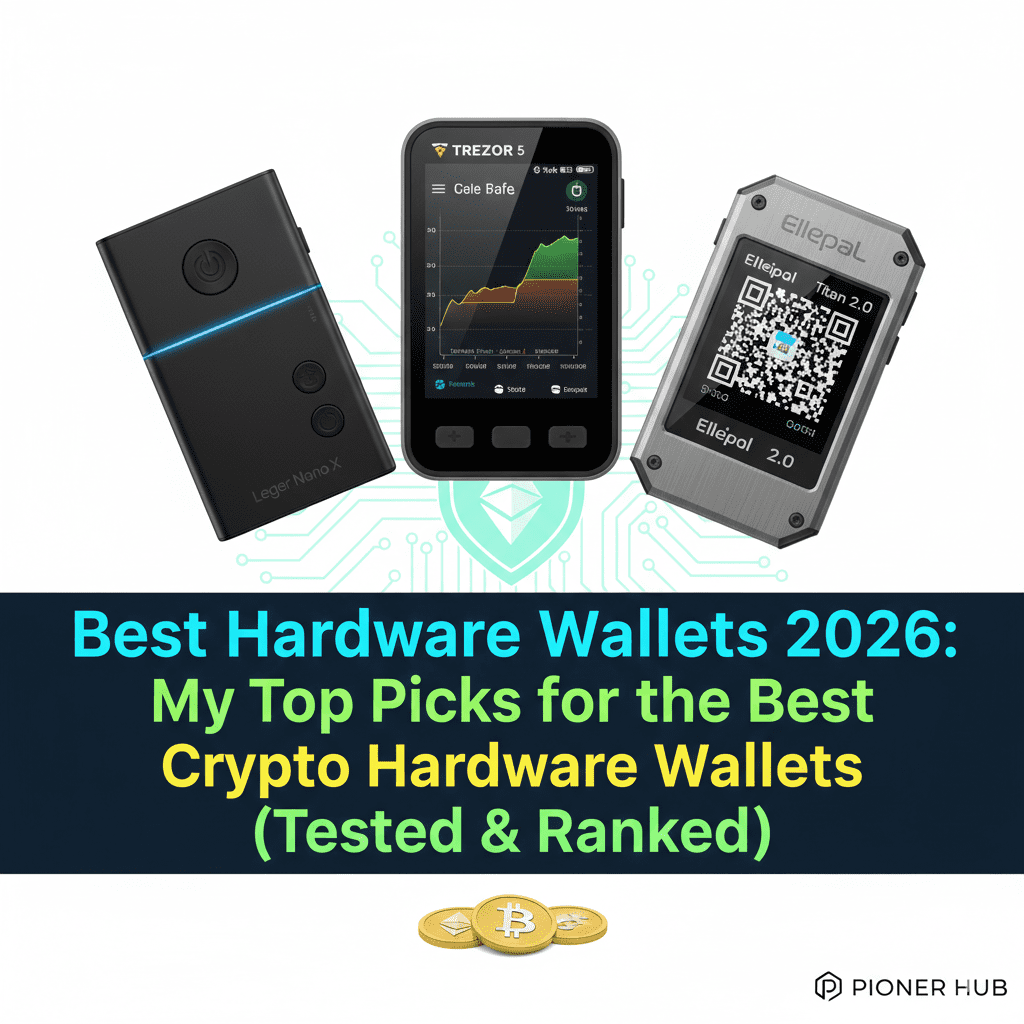
If you’re serious about security, then cold wallets or hardware wallets like Ledger, Trezor, or Secux are a must-have to keep your private keys away from hackers.
Check out the Difference between HOT wallets & COLD wallets
But is it safe enough? MetaMask has stepped up its game. They now have better warnings when you are about to do something risky. For example, if you try to send money to a known scam address, a bright red warning pops up saying, “Hey! This looks bad!”
However, the biggest risk isn’t the software. It’s you. I know, that sounds harsh. But most people lose money because they click on a bad link. Or they give away their seed phrase.
They don’t lose money because MetaMask got hacked. If you are careful, it is very secure. If you click every link you see on Twitter, you might be in trouble.
Have you heard of seedless wallets? They’re becoming a top choice for anyone who wants high security without the hassle of a physical seed phrase.
Is MetaMask Safe for Beginners?
MetaMask is safe for beginners if used correctly. However, since it is a hot wallet, users must protect their seed phrase and avoid phishing links.
The golden rule of crypto is “not your keys, not your coins,” meaning you should move your assets off exchanges to a private wallet to truly own them.
Check here the best crypto storage option for beginners
Mobile App vs. Browser Extension
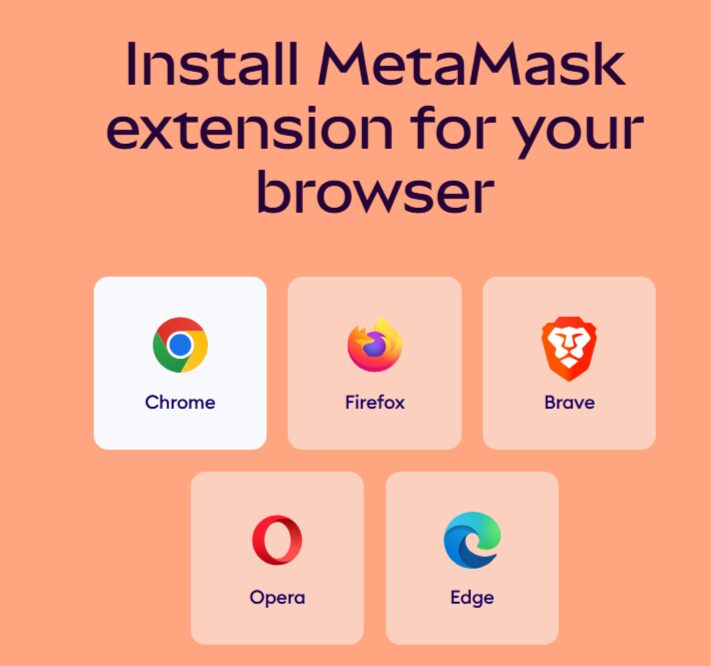
I use both. The Chrome browser extension is fantastic. It’s fast. The fox looks great. And it connects to everything.
The mobile app? It’s okay. It has gotten better, but it can still be a bit clunky. Sometimes it takes a few seconds to load my balance. Sometimes the browser inside the app freezes.
It’s functional, but I definitely prefer using it on my laptop. If you are mobile-only, just be prepared for a slightly slower experience.
For Mobile (Android & iOS): Download the official app from the Google Play Store or Apple App Store and tap ‘Get Started’ to create your wallet.
For Windows: Go to metamask.io, click ‘Download,’ and add the extension to your Chrome, Edge, or Brave browser.
For MacBook: Visit metamask.io to install the extension for Chrome or Brave, or download the app if you’re using a newer Apple Silicon Mac.
The Competition: Why Not Use Something Else?
In 2026, MetaMask will have rivals. The biggest one is a wallet called “Rabby.” Rabby is designed for people who trade a lot. It has better security scanning. It tells you exactly what a transaction will do in plain English.
So why stick with MetaMask? Trust.
MetaMask is owned by Consensys, a massive company. They have hundreds of developers. It feels like the “standard” option. If a new website launches, it will definitely support MetaMask.
It might not support the others. For this MetaMask wallet review 2026, I have to say that reliability is its biggest selling point. It just works. Everywhere. Every time.
Pros and Cons: The Quick Breakdown
Pros:
Here’s a quick breakdown from this MetaMask wallet review:
- Universal: It works with almost every crypto website in existence.
- New Bitcoin Support: Finally, you can keep BTC and ETH in one place.
- Snaps: Infinite customization with plugins.
- Self-Custody: You own your money, not a bank.
Cons:
- High Fees: The 0.875% swap fee is pricey compared to other options.
- No Native 2FA: You can’t just turn on “email verification” for transactions.
- Customer Support: It’s mostly automated. Don’t expect a phone number to call if you get stuck.
Who is MetaMask For?
If you are diving into NFTs, DeFi, or just want to explore the decentralized web, you need MetaMask. It is the entry ticket. Even if you use other wallets later, you will probably start here.
It is perfect for the person who wants to actually use their crypto. It is not just for people who want to hoard it.
| Feature | MetaMask |
|---|---|
| Type | Hot Wallet |
| Fees | 0.875% |
| Security | Medium |
| Best For | DeFi & NFTs |
Conclusion – Metamask wallet review
So, is the fox still worth it? Absolutely. It might not be the shiny new toy anymore. It might have high fees if you swap inside the app. But it is the most reliable, widely supported wallet on the planet.
The addition of Bitcoin support in late 2025 really sealed the deal for me. It shows they are still listening to users.
If you are new to this, download it. Write down that seed phrase on paper! Start with a small amount. Play around with it. Send $10 to a friend.
Once you get comfortable, you will understand why millions of people trust this little orange fox with their billions of dollars.
Just remember one thing. You are the bank now. Be careful. Stay safe. And enjoy the ride.
Overall, this MetaMask wallet review shows that MetaMask is still one of the most reliable wallets, especially for DeFi and NFT users.
If you want to play long in the world of cryptocurrency, then it is a must to buy a hardware wallet
4 Best hardware wallets comparison
Frequently Asked Questions
Is MetaMask safe for beginners?
Yes, but you have to be responsible. Since there is no bank to call if you lose your password, you need to be very careful. Start with small amounts until you feel confident.
Does MetaMask charge fees?
Downloading and storing crypto is free. However, if you use the “Swap” button inside the wallet to trade tokens, they charge a 0.875% fee. You also have to pay network “gas fees,” which go to the blockchain miners, not MetaMask.
Can I hold Bitcoin on MetaMask now?
Yes! As of late 2025, MetaMask supports native Bitcoin. You can send, receive, and hold regular Bitcoin directly in the wallet without needing “wrapped” versions.
What happens if I lose my computer?
What happens if I lose my computer? As long as you have your 12-word Secret Recovery Phrase written down, you are fine. You can just install MetaMask on a new computer. Enter those 12 words, and all your money will reappear instantly.
Is MetaMask better than Binance Wallet?
They are different. Binance Wallet is great if you already use the Binance exchange. MetaMask is better if you want to use a wider variety of decentralized apps.