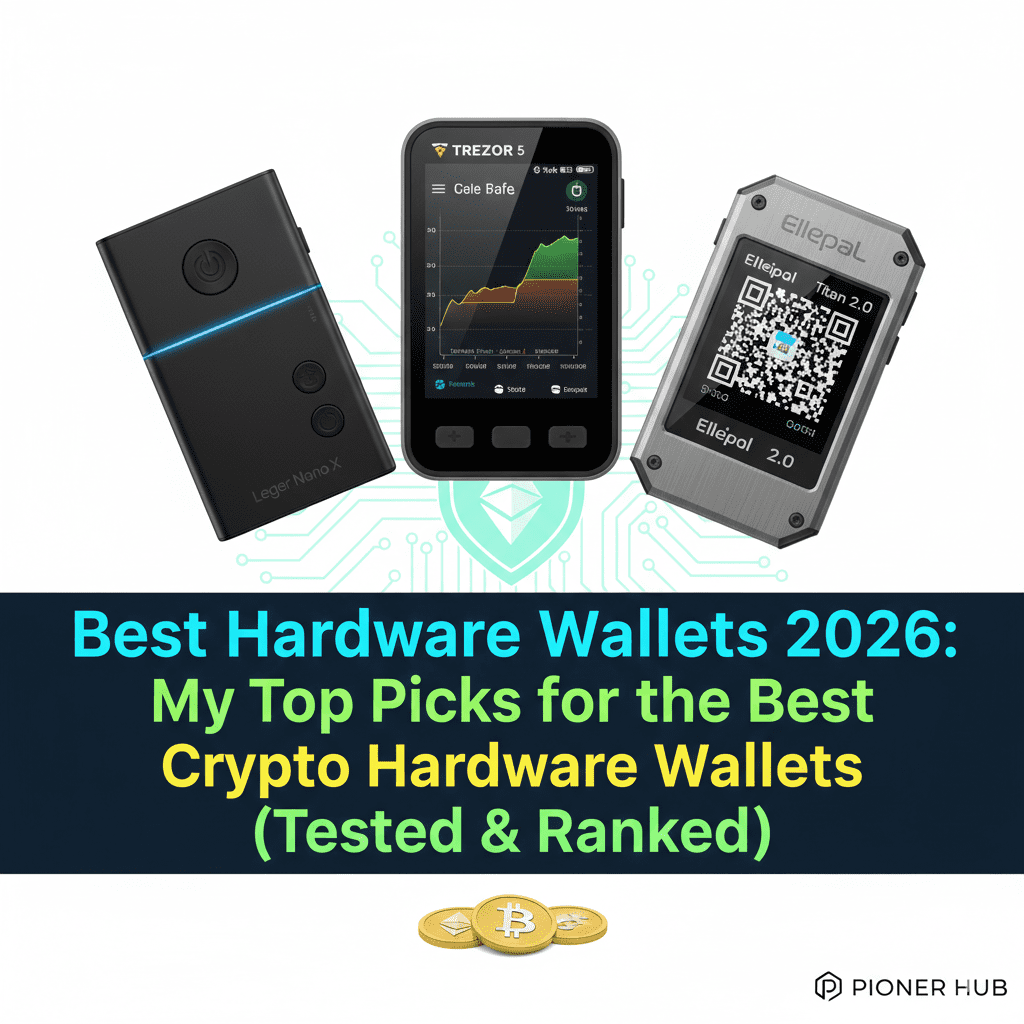
4 Best Hardware Wallets 2026: Top Picks for the Best Crypto Hardware Wallets (Tested & Ranked)
But you know, I was reading about a guy the other day who lost his entire portfolio because he “trusted” a Chrome extension wallet that got drained in minutes. It kind of hurts to see, but that’s the reality of the 2026 market.
You work hard for your crypto, you study the charts, you stress over the dips, and you celebrate the pumps. So why would you leave your life savings on an exchange that could disappear overnight?
We all remember FTX. We all remember the big hacks of 2024 and 2025. The lesson is always the same: if you don’t hold the keys, you don’t own the money. That is why you are here. You are ready to graduate to “Cold Storage.”
A hardware wallet is a physical vault for your digital money. It keeps your private keys offline, far away from hackers, malware, and greedy CEOs. But in 2026, buying the best hardware wallets 2026 isn’t just about picking the one with the coolest screen.
You need to know: Does it support my meme coins? Can I stake my Solana directly on the device? Is it waterproof? I have personally tested, set up, and even tried to break the top devices on the market.
From the sleek Ledger Flex to the bunker-grade Ellipal Titan, this is your complete, 4,000-word deep dive into the best crypto hardware wallets 2026 has to offer.
Key Takeaways
- Ledger is for the “Power User”: If you use DeFi, trade NFTs on your phone, and want a sleek app, Ledger remains the cryptocurrency wallet industry king
- Trezor is for the “Privacy Purist”: With 100% open-source code and new “Quantum-Ready” models, Trezor is the gold standard for trust.
- Air-Gapping is No Longer Niche: For those with massive bags, devices like the Ellipal Titan offer a 100% offline “bunker” approach.
- Bluetooth vs. USB: While Bluetooth adds convenience, many veterans still prefer the “no-radio” security of USB-only or QR-based devices.
1. Ledger (Nano X, Flex, Stax)
The Reputation: The Industry Standard
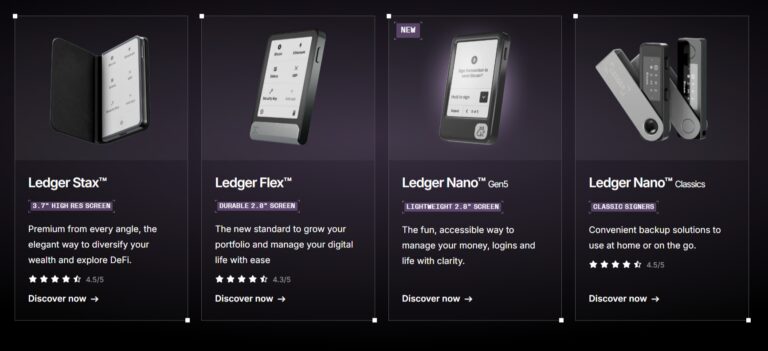
Ledger is like the iPhone of crypto. It is the most popular, the most supported, and arguably the most user-friendly ecosystem. If a new crypto app launches, you can bet it supports Ledger on day one. It is widely regarded as the best hardware wallets 2026 for people who actually use their crypto rather than just burying it in the backyard.
Modals & Hardware Design
- Ledger Nano S Plus($69): It is the entry-level signer designed for managing over 11500 cryptocurrencies and NFTs. It provides the same offline private key protection as premium models, but lacks a battery and Bluetooth, requiring a wired connection for use
- Ledger Nano X ($149): The classic workhorse. It features a small screen, two buttons, and Bluetooth. It’s the best crypto hardware wallets pick for those who want portability.
- Ledger Flex ($249): The new standard. It features a 2.8-inch E-ink touchscreen. It feels premium, like a small Kindle for your money.
- Ledger Stax ($399): The luxury choice. Designed by Tony Fadell (the iPod creator), it features a curved E-ink screen that wraps around the device and includes NFC and wireless charging.
Security Features
Ledger’s security is built around the Secure Element (SE) chip, specifically the ST33 series (CC EAL5+ and EAL6+ certified).
- BOLOS OS: Ledger uses a custom operating system that isolates apps. If your Solana app has a bug, it cannot access your Bitcoin keys.
- Clear Signing: In 2026, Ledger doubled down on “Clear Signing.” This means the device translates complex smart contract data into plain English on the screen.
- Ledger Recover: A controversial but optional cloud-based backup service. It’s kind of like an insurance policy for your seed phrase.
Interface
The Ledger Live interface is the gold standard for crypto management. It provides a clean, visual dashboard of your entire portfolio, including price charts and NFT galleries.
You can check prices, organize accounts, and even buy crypto directly. It feels just as polished as any best crypto wallet apps you would find on the App Store. The Nano X itself has a small screen, but the real magic happens on the phone or computer screen.
Navigation on the device varies: the Nano series uses tactile buttons for “left/right” movement, while the Flex and Stax utilize a highly responsive E-ink touchscreen that stays visible even when the device is off, allowing you to personalize the lock screen with your favorite NFT.
Crypto Support & Earning Options
Ledger supports a range of cryptocurrencies. Ledger supports over 13000 coins and tokens.
You find every type of coin, like bluechip coins, meme coins, AI coins, Gaming coins, Layer2 coins, Depin crypto, RWA Coins, Exchange Tokens, and stable coins in their own specific category.
Through the “Ledger Live” app, you can stake ETH (via Kiln or Lido), SOL, ATOM, DOT, and more with a single click. You can also lend your crypto via Aave integrations directly from your cold storage.
Wallet Setup Guide
- Download Ledger Live: Head to ledger.com/start and grab the app for your desktop or mobile. This is your command center—it’s where you’ll manage your coins and track your portfolio.
- Power & Initialize: Plug your Ledger into your computer using the USB-C cable. Scroll through the welcome screens and select “Set up as new device” by pressing both buttons simultaneously.
- Choose a PIN: Pick a 4-to-8 digit PIN. Use the buttons to cycle through numbers and both buttons to confirm. Pro tip: Use 8 digits; it’s the gold standard for security.
- The 24-Word Sacred Step: The device will show you 24 words one by one. Write them down on the recovery sheet provided. Never type these into a phone or take a photo. This is the master key to your money.
- Verify & Install: The device will ask you to confirm a few words to make sure you’ve got them right. Once confirmed, open Ledger Live, run the “Genuine Check” to ensure your hardware is authentic, and start installing apps for your favorite coins.
Pros & Cons
Pros:
- Best mobile app (Ledger Live).
- Widest coin support in the industry.
- Bluetooth for trading on the go.
Cons:
- Closed-source firmware (requires trust).
- Past marketing database leaks have annoyed users.
The Verdict: Why Buy This?
You should buy a Ledger if you want the most “liquid” experience.
If you find yourself swapping tokens on Uniswap at 2 AM or checking your NFT floor prices every hour, the Bluetooth connectivity and the sheer power of Ledger Live make it the best hardware wallets 2026 for active users.
Read Ledger wallet review 2026
2. Trezor (Safe 3, Safe 5, Safe 7)
The Reputation: The Open-Source Guardian
Trezor was the first. They literally invented the hardware wallet back in 2013. Their philosophy is “Trust nothing, verify everything.”
Unlike Ledger, Trezor’s code is 100% open-source. This transparency makes it a top contender for the best crypto hardware wallets among privacy advocates.
Modals & Hardware Design
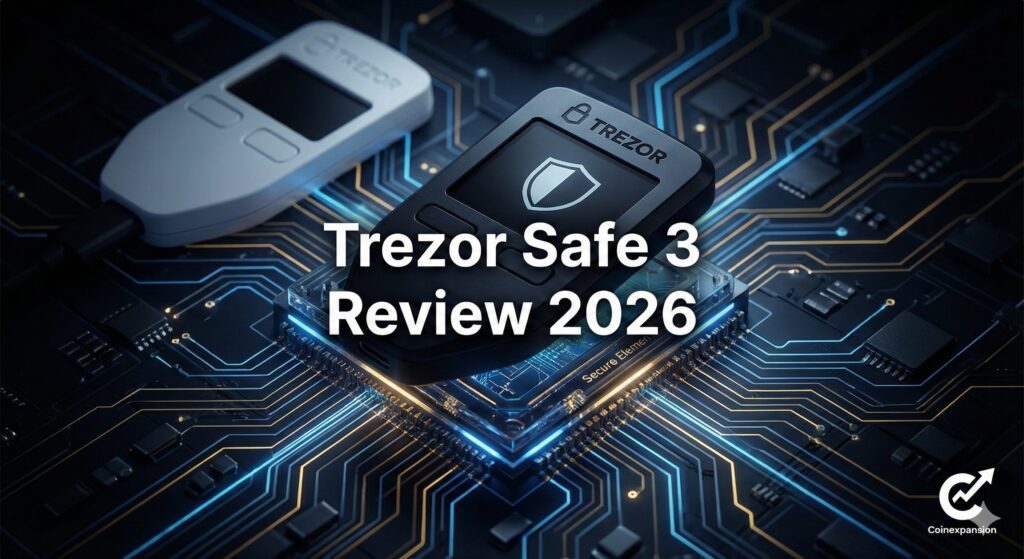
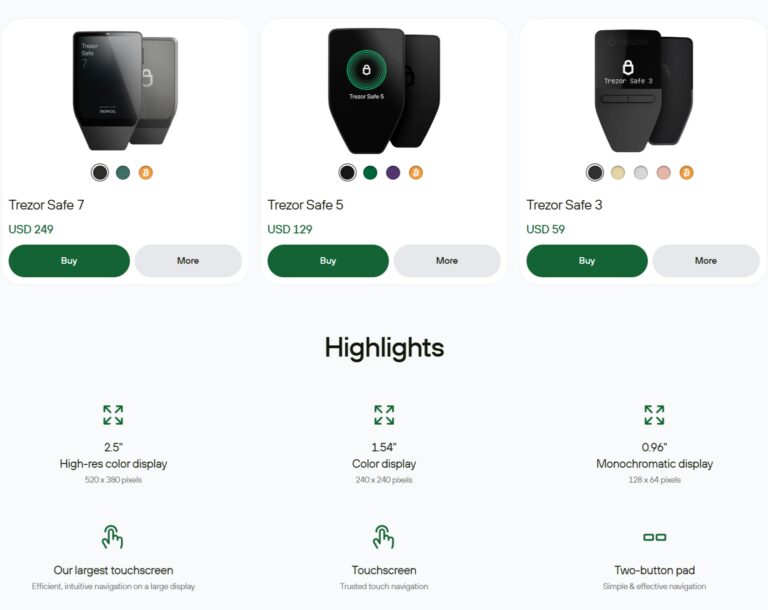
- Trezor Safe 3 ($79): The value king. It’s small, uses buttons, and finally added a Secure Element chip (EAL6+).
- Trezor Safe 5 ($169): The premium choice. It features a vibrant 1.5-inch color touchscreen and haptic feedback.
- Trezor Safe 7 ($249): The 2026 flagship. It is “Quantum-Ready” and features upgraded processing power and a premium aluminum unibody.
Security Features
- Open Source: Every line of code is public. If there were a “backdoor,” the community would have found it years ago.
- Shamir Backup: Available on Safe 5 and 7. You can split your recovery phrase into multiple shares (e.g., 3-of-5).
- On-Device Entry: You enter your PIN and passphrase directly on the Trezor screen, not your computer.
Interface
The Trezor Suite interface is focused on privacy and simplicity. It features a minimalist design that doesn’t overwhelm you with “shilling” or extra ads.
On the Safe 5 and 7 models, the color touchscreen is incredibly sharp, allowing for easy verification of long wallet addresses. The haptic feedback provides a physical “click” feeling when you touch the screen, which helps prevent accidental presses.
Crypto Support & Earning Options
Trezor supports over 9,000 coins and tokens. You can stake ETH, ADA, and SOL directly within the “Trezor Suite” desktop app. Trezor also integrates with Exodus for a more visual “soft-and-hard” wallet hybrid experience.
Check out Best Crypto Staking Platforms 2026
Step-by-Step Trezor Setup
- Download Trezor Suite: Go to trezor.io/start and download the desktop app. Use our URL to avoid fake sites and get 20% discount.
- Connect Your Device: Use the provided USB cable to plug your Trezor into your computer. The screen should light up and show a welcome message.
- Install Firmware: Click “Install Firmware” in the app. This is the “brain” of your wallet, and Trezor ships them empty to ensure you get the latest, most secure version.
- Create Your Wallet: Select “Create New Wallet.” Your device will generate your “Seed Phrase” (12 or 20 words). Write these down on the physical card provided. Never take a photo of them or put them in a cloud drive!
- Set Your PIN: Choose a 4 to 8 digit PIN. You’ll enter this on your computer by clicking a grid that matches the scrambled numbers shown on your Trezor’s screen.
Pros & Cons
Pros:
- 100% Transparent and open-source.
- Excellent privacy tools (Tor, CoinJoin).
- Shamir Backup is a game-changer.
Cons:
- No Bluetooth (requires a cable for everything).
- Screen is kind of small compared to newer Ledger models.
The Verdict: Why Buy This?
You should buy a Trezor if you value the “Moral High Ground” of crypto. If the idea of a company holding “secret” code makes you nervous, Trezor is your answer.
It is the best crypto hardware wallet pick for those who want to know exactly how their security works under the hood.
Buy Trezor wallet at 20% discount
Check out the Trezor wallet review
3. Ellipal (Titan 2.0 & Mini)
The Reputation: The Air-Gapped Bunker
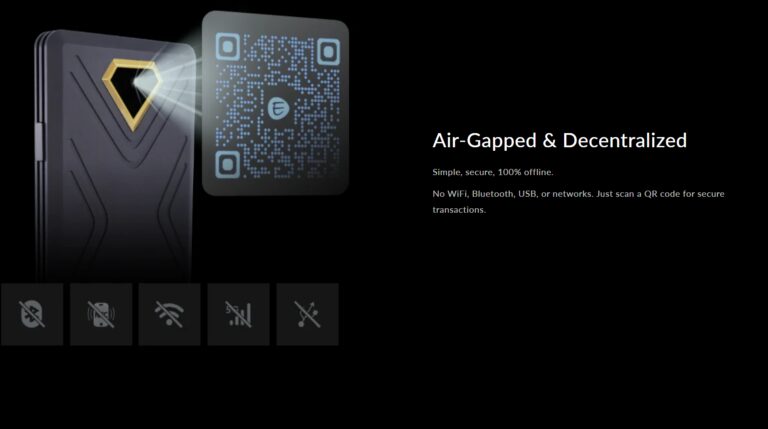
The Ellipal Titan looks like a rugged smartphone. It is heavy, metal, and completely sealed. It is designed for the person who thinks the NSA is watching them. In any hardware wallets comparison, Ellipal stands out because it is 100% air-gapped.
Modals & Hardware Design
- Ellipal Titan 2.0 ($169): A 4-inch color touchscreen beast made of aluminum alloy.
- Ellipal Titan Mini ($79): The same security in a smaller, more portable package.
Security Features
- 100% Air-Gapped: No WiFi, No Bluetooth, No USB data. It communicates via QR codes only.
- Anti-Tamper: If someone tries to pry the case open, it wipes your keys instantly.
- Decoy Wallet: You can set a secondary PIN for a “fake” wallet.
Interface
The interface on the Ellipal is unique because it relies entirely on the camera. To sign a transaction, the device generates a QR code on its massive 4-inch screen, which you then scan with the Ellipal mobile app.
The UI is very “Android-like,” making it very easy for someone transitioning from a smartphone wallet to understand. It is designed for “Clear Signing,” showing the full transaction details in high resolution so you don’t accidentally send funds to a scam address.
Crypto Support & Earning Options
Ellipal supports over 10,000 coins and tokens. You can stake ADA, SOL, DOT, and ATOM through the Ellipal mobile app. It also uses WalletConnect for DeFi.
Check out 14 Best Ways to Earn Cryptocurrency in 2026 (Updated Guide)
Wallet Setup Guide
- Download the App: Get the Ellipal App on your iOS or Android phone. This acts as your “window” to the blockchain since the device stays offline.
- Create Your Account: Turn on the Ellipal, select your language, and tap “Create Account.” Set up your account name and a strong password.
- The Paper Trail: Tap “Backup Mnemonic.” The device will show you 12, 18, or 24 words. Write them down on the physical sheets in the box. Warning: This is your only backup. If you lose this, not even the Ellipal team can help you.
- Verify the Words: The device will ask you to tap the words in the correct order to ensure you wrote them down correctly. It’s a bit tedious, but it’s the most important step for your safety.
- The “Handshake” (Syncing): On the Ellipal device, tap the “Connect to App” icon (top right). On your phone app, select “Connect to Cold Wallet” and scan the QR codes shown on the Ellipal screen.
Check out Hot Wallet vs Cold Wallet: The Ultimate Guide for Beginners (2026)
Pros & Cons
Pros:
- Absolute isolation from the internet.
- Best physical durability.
Cons:
- Bulky and heavy.
- Firmware updates require a microSD card.
The Verdict: Why Buy This?
You should buy an Ellipal if you are a “HODLer” who rarely moves their funds. If you want the peace of mind that comes with knowing your device is physically incapable of connecting to a hacker’s computer, this is the best hardware wallets 2026 bunker for you.
Checkout Ellipal Titan 2.0 Review (2026)
4. SecuX (W20, V20)
The Reputation: The Visual Specialist
SecuX is the dark horse of the best hardware wallets 2026 list. It bridges the gap between tiny screens and smartphone feels. It’s the perfect middle ground for users who want visibility and ease of use.
Modals & Hardware Design
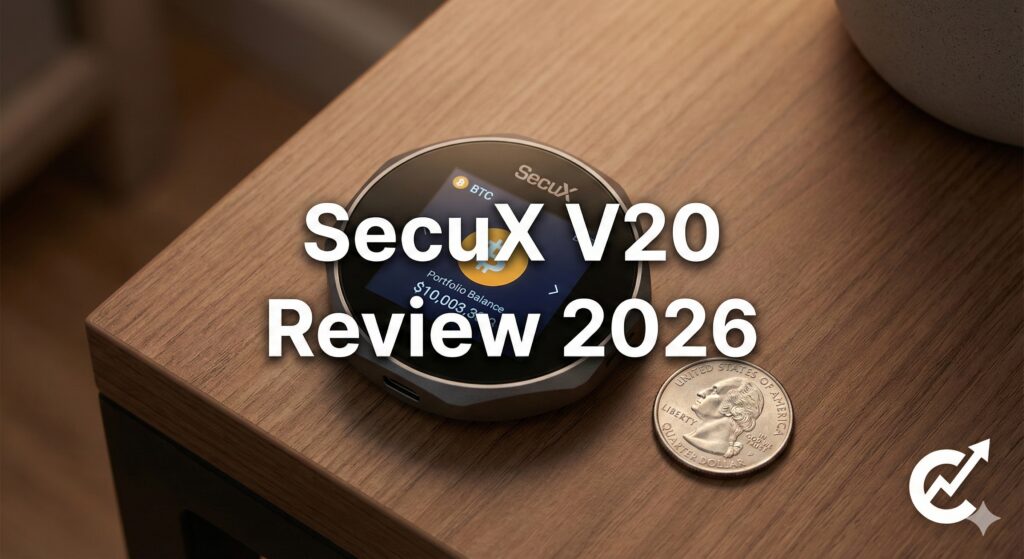
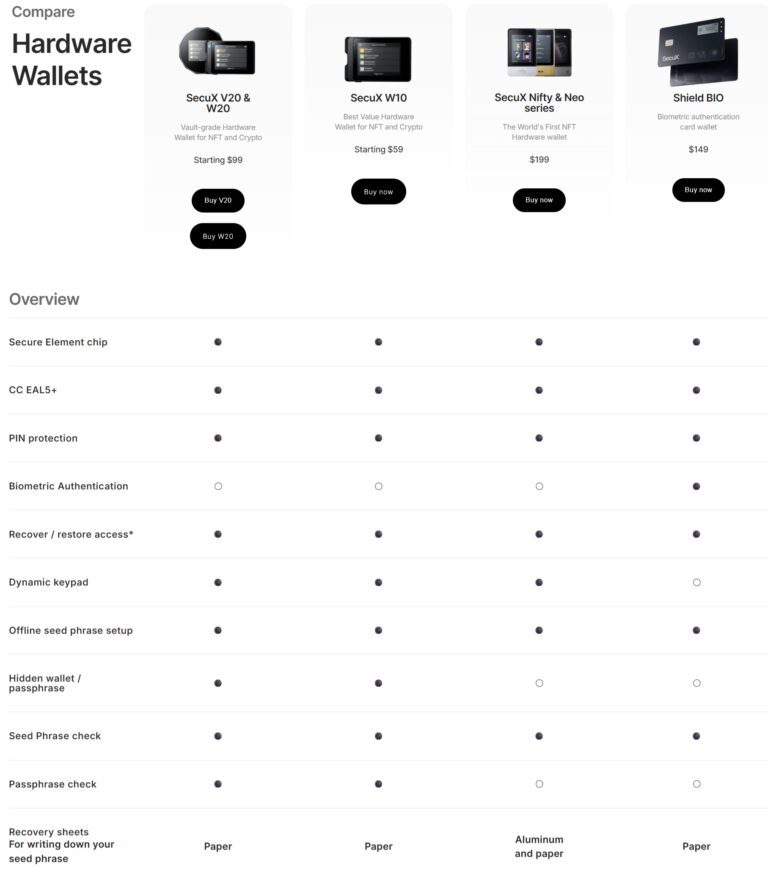
- SecuX W20 ($119): A sleek, square device with a 2.8-inch color touchscreen.
- SecuX V20 ($139): The flagship with a circular aluminum frame and premium metal build.
Security Features
- Infineon Chip: CC EAL5+ certified Secure Element.
- Dynamic Keypad: The numbers on the screen shuffle their positions to prevent fingerprint-tracking.
Interface
The SecuX interface is remarkably cross-platform. You can manage it through a mobile app or a web-based interface (SecuXess) that works in any Chrome browser.
The on-device interface is simple and centers around a large “Confirm” button. Because the screen is so large (2.8 inches), it can display much more information at once than a Ledger Nano, reducing the need to scroll through screens of data.
Crypto Support & Earning Options
SecuX supports over 10,000 coins and tokens. It works across 300+ blockchains. Basic staking and swaps are available via the SecuXess portal.
Check out Yield Farming for Beginners Guide 2026: How to Grow Your Crypto
Wallet Setup Guide
- Power Up: Hold the power button for 2 seconds. The big 2.8-inch touchscreen will light up. Tap “Get Started.”
- Set Your PIN: Create a 4-to-8 digit PIN. You’ll enter this every time you use the device, so make it memorable but tough to guess. Confirm it once more to lock it in.
- Name Your Device: Give your wallet a name (up to 15 characters). This helps you recognize it when pairing via Bluetooth later.
- The 24-Word Fortress: Tap “Yes” to set up as a new wallet. The device will generate 24 recovery words. Grab the recovery sheet and write them down carefully in order. Do not skip this; it’s your only lifeline if the device breaks.
- Verify & Sync: The device will quiz you on a few of those words to ensure you wrote them correctly. Once confirmed, download the SecuXess app on your phone or use the web portal to sync your accounts via Bluetooth or USB.
Pros & Cons
Pros:
- Beautiful, large touchscreens.
- Great value for build quality.
Cons:
- Closed-source firmware.
- Fewer third-party app integrations.
The Verdict: Why Buy This?
You should buy a SecuX if you want a premium-feeling device without the $400 price tag of a Ledger Stax. It is the best crypto hardware wallets choice for those who want a large touchscreen that is easy on the eyes and simple to navigate.
Buy Secux Wallet at 10% discount using the link
Use code – coinexpansion or buy using the above link (discount will be applied automatically)
Detailed Ledger vs. Trezor Comparison
But you know, the Ledger vs. Trezor rivalry is like Coke vs. Pepsi. Both are great, but they serve different tastes. This is the heart of any hardware wallet comparison.
Philosophy: Transparency vs. Fortification
In the Ledger vs. Trezor battle, the biggest divide is open-source vs. closed-source.
Trezor believes that security is only real if everyone can see how it works. Their code is public, and they rely on a global community of hackers to find bugs.
Ledger, on the other hand, believes in “Bank-Grade” fortification. They use proprietary chips that are legally restricted from being open-sourced. They argue that a “secret” defense is harder for an attacker to crack in a lab.
The App Ecosystem
When you look at a hardware wallets comparison, the software is just as important as the hardware.
Ledger Live is miles ahead. It feels like a premium banking app where you can buy, sell, swap, and stake in a few taps.
Trezor Suite is beautiful and clean, but it feels more like a technical tool. It focuses heavily on Bitcoin privacy (Tor, Coinjoin), whereas Ledger focuses on DeFi and NFTs.
Mobile Use and Connectivity
If you are someone who likes to trade while grabbing a coffee, the Ledger vs. Trezor debate has a clear winner: Ledger.
The Nano X and Flex have Bluetooth, allowing you to sign transactions on your phone without wires.
Trezor remains stubborn about Bluetooth, citing it as a potential “attack vector.” While they have an Android app (Trezor Suite Lite), you still need a USB-C cable to sign anything.
The “Hacking” History
Let’s be real, neither has had a “remote” hack of their hardware. However, a Trezor was once physically hacked by researchers who took it apart and used a laser to glitch the chip. Trezor fixed this in the “Safe” series.
Ledger’s biggest “hack” was actually a marketing database leak in 2020, where customer emails and addresses were stolen.
No funds were lost, but it was a PR nightmare. In any Ledger vs. Trezor discussion, your choice comes down to whether you trust “certified hardware” or “auditable code.”
Finding the Safest Crypto Wallet Option for 2026
Comparison Table of Hardware Wallets 2026
| Wallet | Modals | Security Features | Crypto Supported | Interface Type | Pros | Cons |
| Ledger | Nano X, Flex, Stax | EAL5+/6+, BOLOS, Clear Signing | 5,500+ | Touchscreen/Buttons + Ledger Live | Best App, Most Coins, Bluetooth | Closed Source, Past Data Leak |
| Trezor | Safe 3, 5, 7 | Open Source, EAL6+, Shamir Backup | 9,000+ | Touchscreen/Buttons + Trezor Suite | Transparency, Shamir, Privacy | No Bluetooth, Smaller Screen |
| Ellipal | Titan 2.0, Mini | Air-Gapped, Anti-Tamper, Decoy | 10,000+ | 4″ Touchscreen + Mobile App | Max Isolation, Durable, Big Screen | Bulky, Complex Updates |
| SecuX | W20, V20 | EAL5+, Dynamic Keypad, Hidden Wallet | 10,000+ | 2.8″ Touchscreen + Web/Mobile | Large Screen, Metal Build, Easy UI | Fewer Apps, Less Known Brand |
Security checklist before setting up a hardware wallet.
But you know, setting up a hardware wallet for the first time is kind of like moving your life savings into a new house. You want to make sure the windows are locked, the alarm is set, and nobody has a spare key they aren’t supposed to have. I’ve seen too many people rush through the setup and miss a tiny detail that ends up costing them everything.
So, before you move a single Satoshi, here is your Best Hardware Wallets 2026 Security Checklist. If you follow this to the letter, you are already safer than 99% of the people in the crypto space.
Step 1: The “Physical” Integrity Check
- Buy Direct: Did you buy this from the official website (e.g., ledger.com or trezor.io)? If you bought it from eBay or a “discount” shop, stop now. Scammers love to resell tampered devices.
- Inspect the Seal: Check the box for any signs of tampering. Some wallets use holographic stickers; others use a one-piece wrap. If the box looks like it was opened and resealed, don’t use it.
- The “Blank Slate” Rule: When you turn it on, does it ask you to “Create a New Wallet”? If the device already has a PIN or a 24-word phrase written on a card inside the box, it is a scam. A safe device always forces you to generate these yourself.
Check out Best Seedless Crypto Wallets 2026: No More Recovery Phrases
Step 2: The “Air-Gapped” Setup
- [ ] Use a Clean Environment: Set your wallet up on a desk, not in a coffee shop. Ensure no one is looking over your shoulder and there are no cameras (like a smart home cam or a laptop webcam) pointed at the device screen.
- [ ] Official Software Only: Only download the companion app (Ledger Live, Trezor Suite, etc.) from the official manufacturer’s site. Never click a “sponsored” ad on Google—those are often fake phishing sites.+1
- [ ] Verify the Checksum: If you’re a pro, verify the SHA-512 hash of the installer to ensure the software hasn’t been modified by a hacker.
Step 3: The “Seed Phrase” Lockdown
- Write it Offline: Use the physical paper card provided. Never take a photo of your seed phrase. Never type it into a Word doc. Never save it in your email. If it touches the internet for even a second, it’s kind of burned.
- Double-Check the Order: Your device will usually ask you to verify the words. Take your time. One wrong letter or a swapped word means you can’t recover your money if the device breaks.
- The “25th Word” (Advanced): Consider adding a “Passphrase.” This creates a hidden account. Even if someone steals your 24 words, they can’t get your money without that 25th word you’ve memorized.
Step 4: The “First Deposit” Test
- The Small Test: Don’t send your whole bag at once. Send $5 or $10 worth of crypto first.
- The Recovery Drill: This is the most important part. After sending that $5, wipe your device. Use your 24-word seed phrase to restore the wallet. Did the $5 reappear? If yes, you now know for a fact that your backup works.+1
- Address Verification: Every time you send money, look at the address on your computer screen AND the address on the hardware wallet screen. If they don’t match, your computer has “clipboard malware.” Trust the device, not the computer.
Scams to Watch Out for in 2026
| Scam Type | How it Works | How to Avoid It |
| The “Support” DM | Someone on Discord/Telegram poses as “Ledger Support” and asks for your seed phrase to “sync” your wallet. | Real support will never ask for your 24 words. Ever. |
| Address Poisoning | Scammers send a $0 transaction to your wallet from an address that looks almost identical to yours, hoping you’ll copy it from your history next time. | Always verify every single character of a destination address on your hardware screen. |
| The Fake Update | A popup on your computer says your wallet “firmware is out of date” and asks you to type your seed phrase to “unlock” the update. | Only enter your seed phrase on the physical device itself, never on your keyboard. |
The Final Verdict: Which is the Best Hardware Wallet 2026?
But you know, there is no “perfect” wallet, but only the perfect wallet for you. After comparing the best hardware wallets 2026, here is the final score:
- The Best for Daily Use: Ledger Nano X. Its Bluetooth and app ecosystem make it the most convenient.
- The Best for Long-Term HODLing: Trezor Safe 5. The open-source transparency gives you peace of mind.
- The Best for Maximum Security: Ellipal Titan 2.0. If you are holding life-changing money, you want it air-gapped.
- The Best for Beginners: SecuX W20. The big screen makes it kind of impossible to make a mistake.
Frequently Asked Questions (FAQ)
Q: Can these hardware wallets be hacked?
A: It is virtually impossible to hack these remotely. The keys never touch the internet. The only way you lose money is if you give someone your 24-word seed phrase or approve a malicious smart contract.
Q: What if I lose the physical device?
A: Your money is not “in” the device; it’s on the blockchain. You just buy a new device, enter your 24-word recovery phrase, and your coins reappear.
Q: Which Crypto hardware wallet is the best for earning Crypto?
Ledger is the best crypto hardware wallet on the list to earn crypto via NFT’s, Staking, Lending, and yield farming.
Q: Do I need a computer to set these up?
A: Not anymore! Crypto hardware wallets can be set up entirely using a smartphone.