Tangem Wallet 2.0 Review (2026): Is a Screenless Card Actually Safe?
You know, the first time I saw a Tangem wallet, I thought it was a joke.
I opened the package, and a plastic card fell out. That was it. No cables, no batteries, no screen, no buttons. Just a plain white card that looked exactly like a Visa debit card.
I remember thinking, “There is no way this thing can protect my Bitcoin.”
But I was wrong. In fact, this might be the smartest design in the entire industry.
If you are tired of fiddling with tiny buttons on a Ledger or terrified of breaking your Trezor screen, you need to read this. The Tangem Wallet 2.0 promises to make crypto as easy as tapping a credit card.
But there is a catch: It has no screen. This means you have to trust your phone blindly. Is that a dealbreaker?
In this Tangem Wallet 2.0 review, I’m going to tap, scan, and stress-test this card to see if the future of crypto storage is actually flat.
Key Takeaways
- The Vibe: It looks and feels exactly like a premium credit card. No cables, no charging.
- The Magic: It uses NFC (Near Field Communication). You just tap it against the back of your phone to sign transactions.
- The Upgrade: The Tangem Wallet 2.0 finally allows you to generate a “Seed Phrase” backup. The old version didn’t, which scared people. This is a huge fix.
- Durability: It is waterproof, dustproof, and temperature resistant. You can literally freeze it in a block of ice, and it will still work.
- The Risk: Since it has no screen, you have to verify transactions on your phone screen. If your phone is hacked, you could be tricked.
- The Verdict: It is the ultimate wallet for daily use and mobile traders. For storing $1 million? Stick to a Trezor.
1. The Design: It’s Just a Card (And That’s Good)
When you buy a Tangem, you usually get a pack of 2 or 3 cards. Why? Because the “backup” isn’t a piece of paper; it’s another card.
The Build:
It feels dense. It’s plastic, but it has a high-quality matte finish. It fits perfectly in your actual leather wallet alongside your ID and credit cards.
The “Tap” Experience:
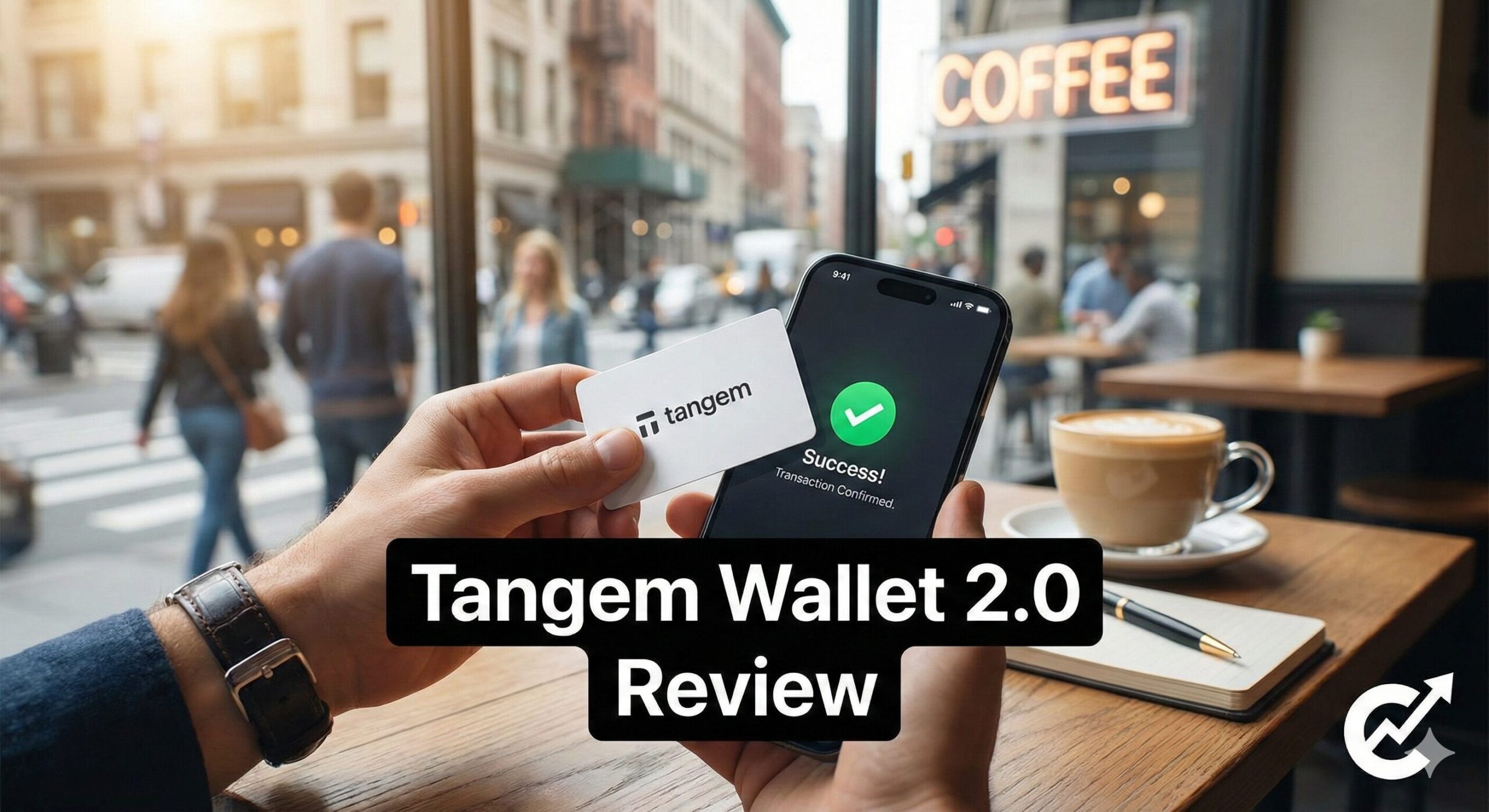
This is the main selling point of any Tangem Wallet 2.0 review. Using it feels like magic.
- Open the Tangem app on your iPhone or Android.
- Set up a transaction.
- The app asks you to “Scan Card.”
- You tap the card against the back of your phone.
- Beep. Transaction signed.
It takes 3 seconds. Compare that to a Ledger, where you have to find the cable, plug it in, enter a PIN code, and click buttons. Tangem is infinitely faster.
2. Tangem Wallet 2.0 Review: The “Seed Phrase” Update
This is the reason we are specifically reviewing the “2.0” version.
The Old Problem:
The original Tangem wallet generated the keys inside the card, and you could never extract them. You couldn’t write down a 12-word seed phrase. If you lost the card, your money was gone. This terrified crypto purists.
The 2.0 Solution:
Tangem listened. When you set up the Tangem Wallet 2.0, the app gives you a choice:
- Clone to other cards: Keep the keys hidden inside the cards (easiest).
- Generate Seed Phrase: Show me the 12 words so I can write them down on paper (standard).
This single update makes Tangem a serious contender for “Best Wallet of 2026.” You now have the option to have a traditional paper backup just like a Trezor.
3. Security: The “Blind Signing” Risk
We have to address the elephant in the room. This wallet has no screen.
On a Ledger or Trezor, the device screen shows you: “Sending 1 BTC to Address XYZ.” You verify it with your eyes on the trusted device.
On Tangem, you verify the transaction on your phone screen.
- The Risk: If your phone has malware that changes the address on the screen, you might unknowingly approve a bad transaction because the card has no way to warn you.
- The Reality: For 99% of users, this risk is low if you are careful. Tangem’s app checks for known malicious contracts. But for “life-changing” amounts of money, I still prefer a device with its own screen.
4. Durability: The Tank in Your Pocket
I honestly think this is the most durable wallet ever made.
Why it survives everything:
- No Battery: Batteries degrade and leak. Tangem has no battery. It draws power from your phone via NFC when you tap it.
- No Buttons: Buttons break or get stuck. Tangem has no moving parts.
- Waterproof: It is IP68 rated. I actually dropped mine in a glass of water to test it. It worked perfectly immediately after.
If you are the kind of person who accidentally puts their wallet through the washing machine, the Tangem Wallet 2.0 is the only crypto wallet that will survive the spin cycle.
5. App Experience: Clean and Fast
The Tangem app is mobile-only (iOS and Android). There is no desktop app.
The Interface:
It is incredibly simple. It shows your cards, your total balance, and a list of your tokens. It feels very similar to Apple Wallet.
Features:
- Swap: You can swap Bitcoin for Ethereum directly in the app (via 1inch integration).
- Buy: You can buy crypto with Google Pay or Apple Pay.
- WalletConnect: This is huge. You can connect your Tangem to DeFi apps like Uniswap or OpenSea. You just scan the QR code and tap your card to confirm.
6. Comparison: Tangem vs. The Sticks
How does the Tangem Wallet 2.0 review stack up against the USB sticks?
| Feature | Tangem 2.0 (3-Pack) | Ledger Nano X | Trezor Safe 3 |
| Price | ~$69 | ~$149 | ~$79 |
| Form Factor | Credit Card | USB Stick | USB Stick |
| Screen | ❌ None | ✅ OLED | ✅ OLED |
| Connection | NFC (Wireless) | Bluetooth | USB Cable |
| Battery | No (Great) | Yes (Ok) | No (Great) |
| Waterproof | ✅ Yes (IP68) | ❌ No | ❌ No |
| Best For | Daily / Mobile | Mobile / Web3 | Desktop / HODL |
7. Step-by-Step Setup Guide
Setting up a Tangem is the fastest setup in crypto. I timed it at 3 minutes flat.
Step 1: Download App
Get the official “Tangem” app from the App Store or Google Play.
Step 2: Tap First Card
Open the app. It says “Scan Card.” Tap your first card against the phone. This becomes the “Master.”
Step 3: Create Backup
It will ask you to scan the second (and third) cards. The app securely copies the private keys from the Master to the Backups using encryption.
- Note: This is where you can choose to generate a Seed Phrase if you want.
Step 4: Set Access Code
Create a password/access code. This prevents someone from just tapping your card if they steal it. They would need the card AND the code.
Step 5: Done!
Your wallet is live. You can toss one card in your safe and keep one in your pocket.
Conclusion: Is the Tangem Wallet 2.0 Worth It?
After carrying this card for a month, I realized something: I use it way more than my Ledger.
Why? Because it’s frictionless. I don’t have to carry a cable. I don’t have to charge it. I just pull it out of my actual wallet, tap, and I’m done.
My Final Verdict for this Tangem Wallet 2.0 review:
- Buy it if: You are a mobile-first user. You trade on your phone, you buy NFTs on the go, and you want something durable and waterproof. The 3-card pack is an incredible value for $69.
- Skip it if: You are paranoid about “Blind Signing” and absolutely need a dedicated screen to verify addresses. Stick to a Trezor Safe 3 for your retirement fund.
For my “walking around” crypto stack, Tangem is now my daily driver. It’s just too convenient to ignore.
Frequently Asked Questions (FAQ)
Q: Can I use Tangem 1.0 cards with the 2.0 app?
A: Yes, but you cannot upgrade a 1.0 card to support Seed Phrases. That is a hardware limitation. You need to buy the new Tangem Wallet 2.0 cards to get the seed phrase feature.
Q: What if I lose my phone?
A: Your money is safe. The keys are on the card, not the phone. You just download the app on a new phone, tap your card, and enter your access code.
Q: Does it work with a phone case?
A: Yes. NFC signals are strong enough to go through most standard plastic or leather phone cases. You don’t need to take the case off.
Q: Is it safer than a Ledger?
A: Physically? Yes, because it has no buttons or ports to tamper with. Digitally? It’s debatable because of the lack of a screen. But for 99% of threats, it is equally secure.